PulaoEcho
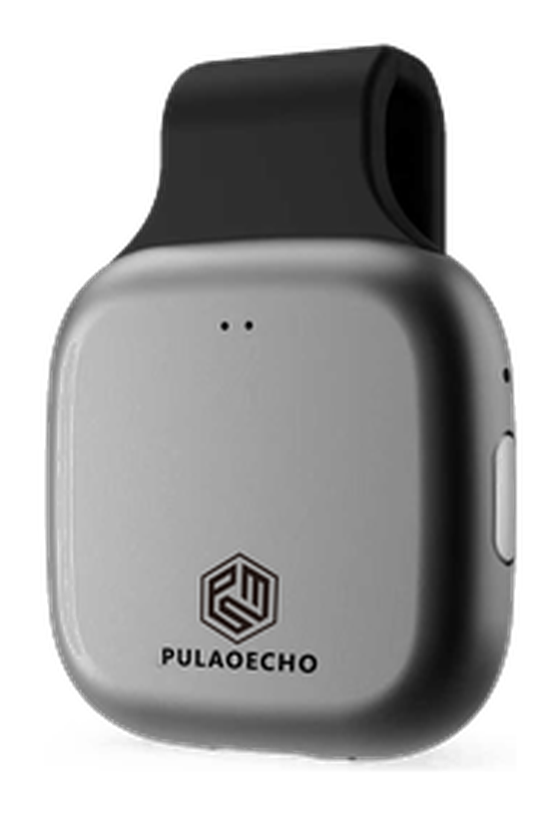
轻巧随身,扫码即连。长按三秒开机,短按一键录音。
Compact and always at hand — scan to connect, long-press to power on, short-press to record.
产品外观Product views
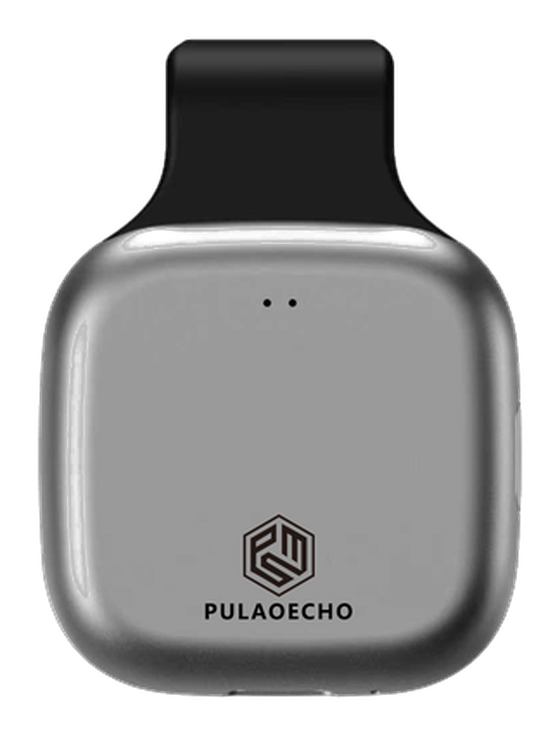
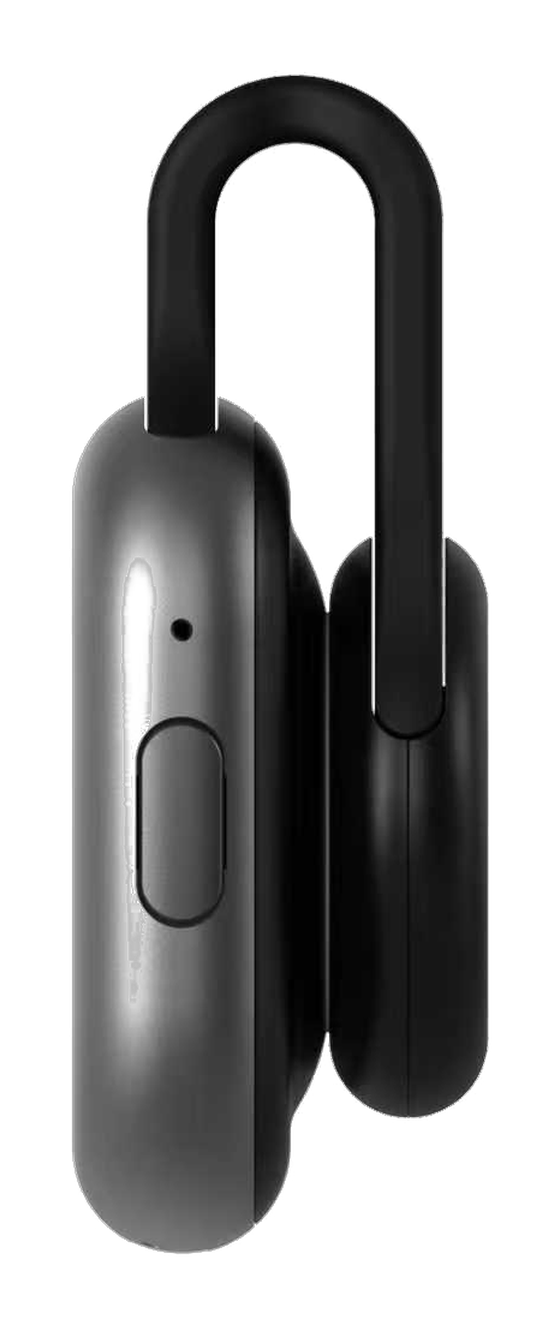
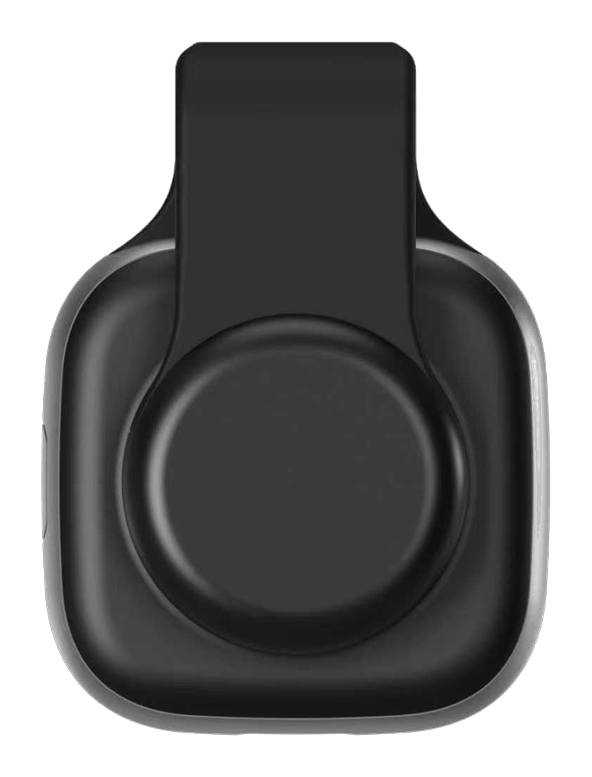
小巧机身,四面观。
A compact body, from every side.
产品特点Highlights
为「随时按下」而设计。
Built for the moment you need to press it.
三合一佩戴
Three ways to wear
领夹式、腕带式、挂脖式,磁吸快拆,3 秒切换。适配西装、运动、休闲所有场景。
Clip, wristband or neck — magnetic quick-release swaps between them in 3 seconds. Fits suits, sports and casual settings alike.
一键灵感速记
One-tap idea capture
单击即录,不掏手机、不解锁。灵感闪现的瞬间就抓住,说完了摘要自动生成。
Single press to record — no reaching for your phone, no unlocking. Capture the idea the moment it strikes, and the summary generates itself when you stop.
智能场景识别
Automatic scene detection
自动区分「灵感独白」「多人对话」「会议讨论」,分类沉淀到三层记忆,跨场景自动串联。
Automatically tells apart solo ideas, multi-speaker conversations and meetings, filing each into its own layer of memory and linking them across scenes.
与 P1 记忆互通
Shared memory with P1
同一 App、同一云端、同一三层记忆。W1 录的灵感,P1 开会时自动关联 —— 两台设备是同一个知音的两只耳朵。
One app, one cloud, one layered memory. Ideas captured on W1 surface automatically when you start recording with P1 — two devices, one pair of ears.
37 g 超轻机身 · 29 小时连续录音 · 10 天待机续航 · 2 路高灵敏度麦克风 · 8 GB 本地存储。
37 g body · 29 h continuous recording · 10-day standby · 2 high-sensitivity microphones · 8 GB local storage.
首次使用Getting started
收到设备后,按以下步骤完成绑定并开始录音。
From unboxing to your first recording in five steps.
下载并打开 APPDownload and open the app
访问官网 www.pulaoai.com 下载 APP,注册并登录。首次打开 APP,进入底部「设备」页。
Download the app from www.pulaoai.com, then register and sign in. When you first open the app, go to the "Devices" tab at the bottom.
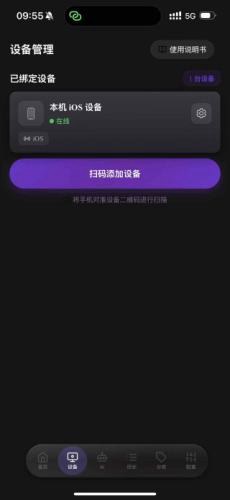
点击「扫码添加设备」Tap "Add device by QR code"
在设备页点击紫色的「扫码添加设备」按钮,准备扫描包装盒上的二维码。
On the Devices tab, tap the purple "Add device by QR code" button to get ready to scan.
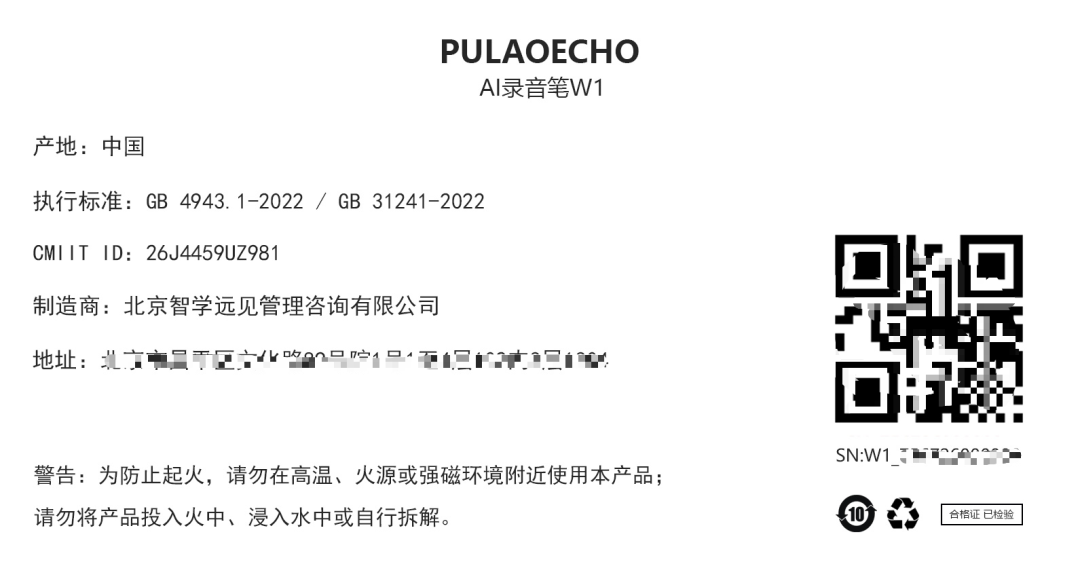
扫描包装盒背部二维码绑定Scan the QR code on the back of the box
对准包装盒背部标签上的二维码扫描,即可完成设备绑定。
Point the camera at the QR code on the label on the back of the package to bind the device.
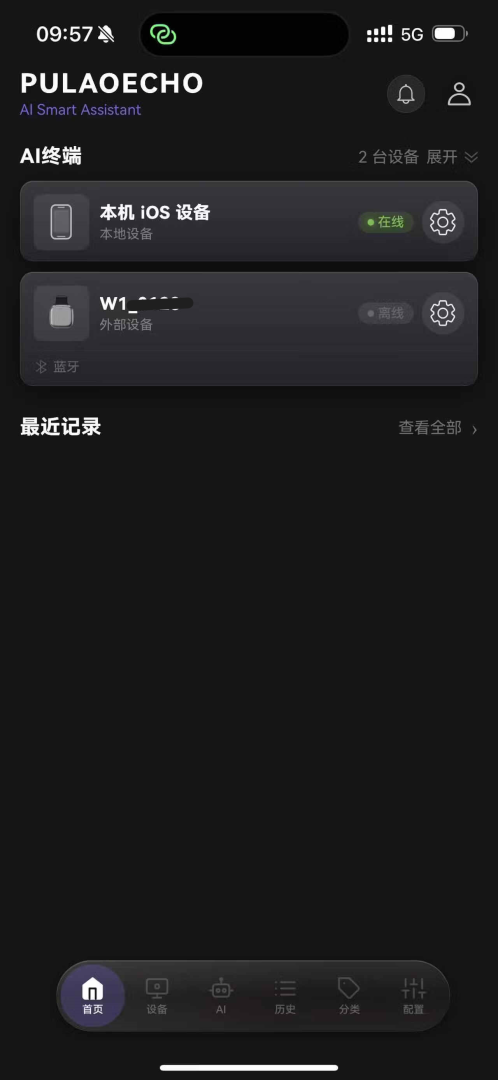
绑定成功,设备出现在列表中Bound — the device appears in the list
绑定完成后,APP 首页「AI 终端」列表中会出现你的 W1 设备。W1 需通过蓝牙与手机保持连接。
Once bound, your W1 appears in the "AI Terminals" list on the app home screen. Keep the W1 connected to your phone over Bluetooth.
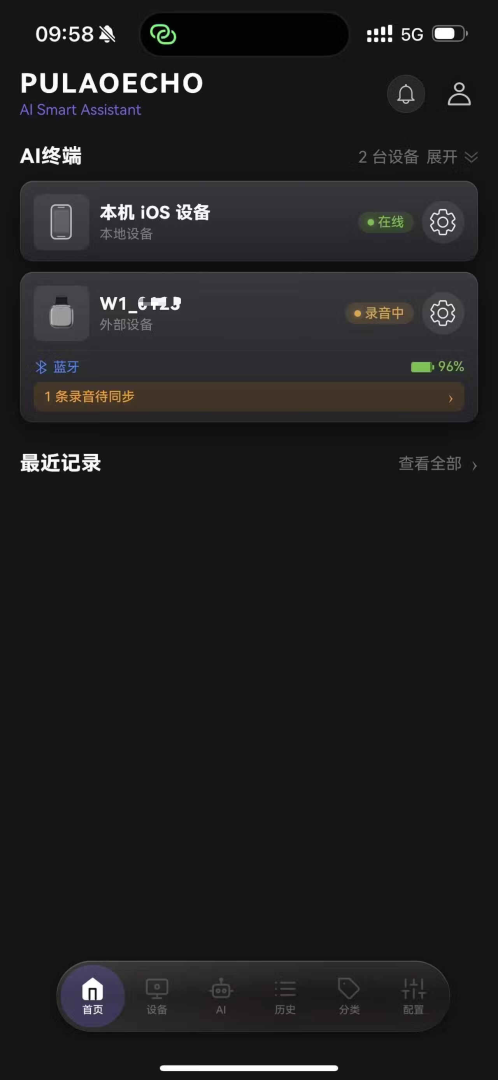
开始录音Start recording
先长按电源键 3 秒开机,再短按一下开始录音,APP 中设备状态变为黄色的「录音中」。录音结束后,转写与 AI 总结会自动同步到 APP。
First press and hold the power button for 3 seconds to power on, then short-press to start recording — the device status in the app turns to a yellow "Recording" badge. When you stop, the transcript and AI summary sync to the app automatically.
如需添加多台 W1,请分别扫描每台设备包装盒上的二维码。绑定一次即可,之后无需重复扫码。
To add multiple W1 devices, scan the QR code on each device's box. Binding is one-time only — no need to scan again afterwards.
连接设备Connection
下载 APP 并通过蓝牙与设备配对。
Download the app and pair with the device over Bluetooth.
用手机浏览器打开下方网址,在页面中找到 APP 下载二维码,扫描即可下载。下载后打开 APP,扫描包装盒背面的二维码注册使用。
Open the website below in your phone browser, find the app download QR code on the page and scan it to download. After opening the app, scan the QR code on the back of the package to register.
长按开机Power on
长按设备电源键 3 秒,设备开机。
Press and hold the power button for 3 seconds to power on.
开启手机蓝牙Turn on Bluetooth
打开手机蓝牙开关。
Turn on your phone's Bluetooth.
连接设备Connect
启动 APP 并连接设备。
Launch the app and connect to the device.
蓝色指示灯常亮,表示已连接成功。
The blue indicator stays on when connected.
请确认设备已开机(蓝色指示灯亮起);若仍无法搜索到设备,请在 APP 中下拉刷新后重试;避免在蓝牙已连接其他设备的设备上操作。
Confirm the device is powered on (blue indicator lit). If it still doesn't appear, pull down to refresh in the app and retry; avoid phones already connected to other Bluetooth devices.
录音Recording
开机后短按一下开始录音,再短按一下结束。
After powering on, short-press once to start recording and again to stop.
开始录音Start recording
开机后短按一下电源键,开始录音,红色指示灯亮起即表示录音进行中。
After powering on, short-press the power button once to start recording. The red indicator lights up when recording.
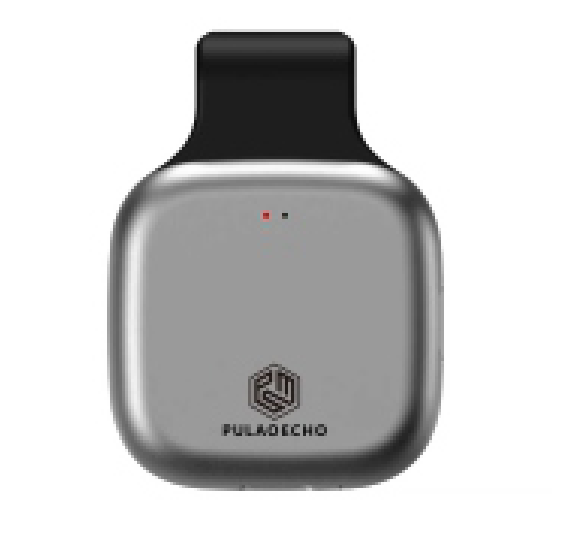
结束录音Stop recording
再次短按一下电源键,结束录音,红色指示灯熄灭。
Short-press the power button again to stop recording — the red indicator turns off.
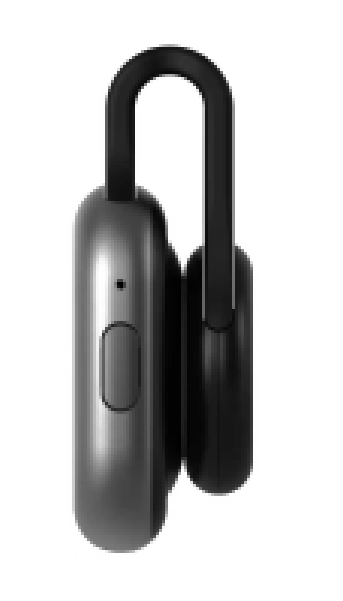
录音保存在设备内,可在 APP 中查看、播放与管理。若长时间未使用,建议先充满电再录音。
Recordings are stored on the device and can be viewed, played back and managed in the app. If the device has been idle for a long time, charge it before recording.
开关机和充电Power & Charging
长按开关机,通过 USB 充电。
Long-press to power on or off; charge via USB.
开机Power on
长按电源键 3 秒,设备开机。
Press and hold the power button for 3 seconds to power on.
关机Power off
长按电源键 3 秒,设备关机。
Press and hold the power button for 3 seconds to power off.
设备插入 USB 充电时不允许关机;拔下 USB 后设备会自动关机。
The device cannot be powered off while connected to USB for charging; it will power off automatically once the USB cable is unplugged.
充电中与充满Charging vs. fully charged
| 状态Status | 指示灯Indicator | 说明Meaning |
|---|---|---|
| 充电中Charging | 红色与蓝色指示灯常亮Red and blue indicators stay on | |
| 已充满Fully charged | 指示灯熄灭,可拔下电源Indicators turn off — you can unplug the cable |
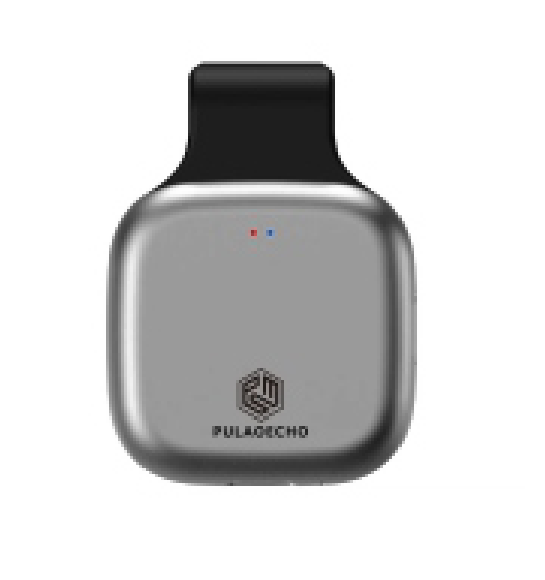
设备出厂时电量未充满,首次使用前请先完整充电一次。
The device ships partially charged — complete one full charge before first use.
指示灯说明LED status
设备通过红蓝两色指示灯反馈运行状态与异常提醒。
The red and blue indicators report operating status and alerts.
| 灯效Pattern | 含义Meaning | 处理方式What to do |
|---|---|---|
| 蓝色长亮 —— 已连接手机Blue stays on — connected to phone | 连接成功,可正常使用 APPConnected successfully; the app is ready to use | |
| 红色长亮 —— 正在录音Red stays on — recording in progress | 录音进行中,再次短按一下结束Recording; short-press again to stop | |
| 红蓝同时闪烁 3 下,每 10 秒循环 —— 电量低Red and blue flash 3 times together, repeating every 10s — low battery | 尽快充电Recharge as soon as possible | |
| 红蓝交替闪烁 5 秒 —— 内存空间不足Red and blue alternate for 5 seconds — insufficient memory | 在 APP 中删除或导出已完成的录音文件Delete or export finished recordings in the app |
电量不足时设备会循环提示。若未及时充电而关机,录音数据存在丢失风险。
The device repeats this alert when power is low. If it powers off before you recharge, recording data may be lost.
注意事项Precautions
本产品内置磁性材料。若您使用心脏起搏器、植入式心脏复律除颤器(ICD)或其他植入式心脏电子设备,请遵照医嘱正确使用。
This product contains built-in magnetic materials. If you use a pacemaker, an implantable cardioverter defibrillator (ICD), or another implantable cardiac electronic device, please follow your doctor's instructions.
✓首次使用Before first use
- 首次使用前,请将设备充满电
- 使用前请仔细阅读本指南的全部内容
- Fully charge the device before first use
- Read this guide in full before using the device
◉录音合规Recording consent
- 录音前请获得所有参与者的明示同意
- 公共场所录音请遵守当地法律法规
- Obtain explicit consent from all participants before recording
- Comply with local laws when recording in public spaces
⌁使用与保养Handling
- 避免进水、摔落、高温与尖锐物品撞击
- 勿私自拆机,否则将失去保修资格
- 避免长期满电或完全耗尽存放,以延长电池寿命
- Avoid water, drops, high temperatures and impact from sharp objects
- Do not disassemble the device — this will void your warranty
- Avoid storing fully charged or completely empty to extend battery life
▦存放与保养Storage
- 长期不使用时,请保持电量在 40%–60% 区间
- 建议每 3 个月补充一次电量
- For long-term storage, keep the battery between 40%–60%
- Top it up roughly every 3 months